1. Meet it in a story
Read or listen to a story and tap any word that trips you up. It's saved with the exact sentence and scene where it appeared — never as a bare word on a list.
You read or listen to understand a story, tap the words that trip you up, and LingFlow brings them back as new phrases and sentences — sized to your level — that you have to produce yourself, checking each answer and showing the one fix you missed, until each word works in any context, not just the one you first saw. 7-day free trial, every feature open on a starter set of stories.
Available now on web and mobile.
Read or listen to a story and tap any word that trips you up. It's saved with the exact sentence and scene where it appeared — never as a bare word on a list.
The trainer brings that word back inside a brand-new phrase or sentence — sized to your level — and asks you to say or type it in the language you're learning. Recognizing a word is easy; producing it is where it sticks.
Each answer is graded correct, close, or off, with the smallest fix you missed. The word keeps returning — as phrases or full sentences, matched to your level — until you can produce it anywhere, not just where you first saw it.
This is the part most apps skip. Reading and listening give you comprehensible input — language you can follow even when some of it is new — and that's the foundation. Producing it back, in new contexts and with instant correction, is what moves it into the language you can actually use.
Your vocabulary isn't a generic frequency list. Every item comes from a story you read, carrying the sentence and scene that made it make sense the first time — so practice always starts from language you've already understood.
LingFlow generates fresh material for each word and calibrates its difficulty to where you are: single words and short phrases early on, full sentences as you grow. You never just re-read the same flashcard.
When an answer slips, you get the smallest correction you needed plus a short note in your own language — graded by a checker built for the language you're learning, not a blunt yes/no match. A word counts as learned only after you've produced it across several different contexts.
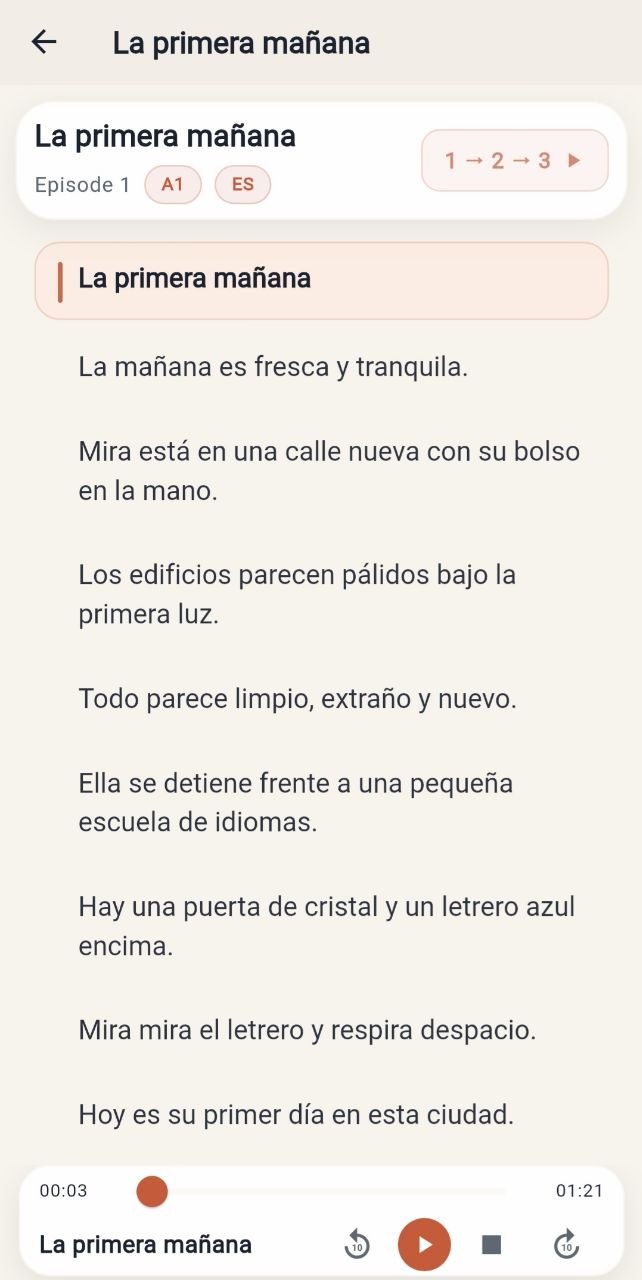
Before you produce anything, you just listen and understand. Each sentence is paired with audio — comprehensible input you can follow even when some of it is new — and three passes gradually peel the support away:
Meaning comes before performance — you only start producing a word once you've actually understood it in context. The audio stays in the language you're learning across all three passes; only what's on screen changes.
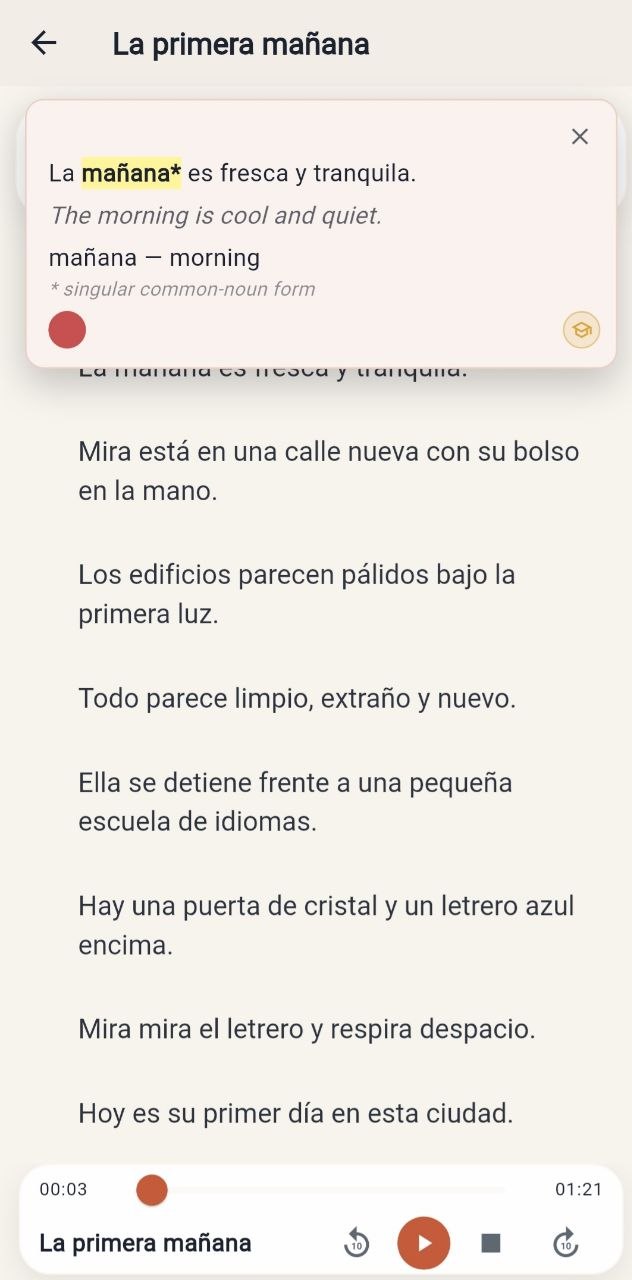
No dictionary detour, no losing your place. One tap answers in three pieces:
Every word you tap goes into your personal vocabulary with its sentence attached — that's the raw material the Context Trainer turns into new phrases and sentences for you to produce.
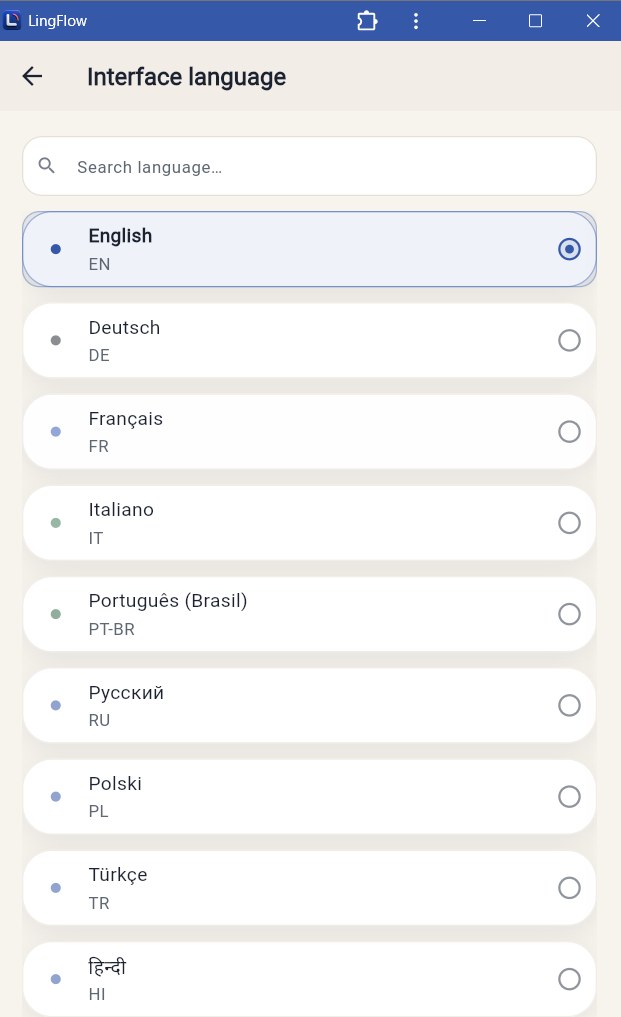
Pick the interface in the language you actually think in — translations, hints and the trainer's error feedback all switch with it. The language you're learning is separate: six languages to learn, with the interface available in twelve, so any pair works — Spanish from Russian, French from Hindi, German from Arabic, whatever fits.
No extra setup — change the interface language once and the rest of the app follows.
Use LingFlow wherever you are. Open app.lingflow.me in any modern browser — no install required.
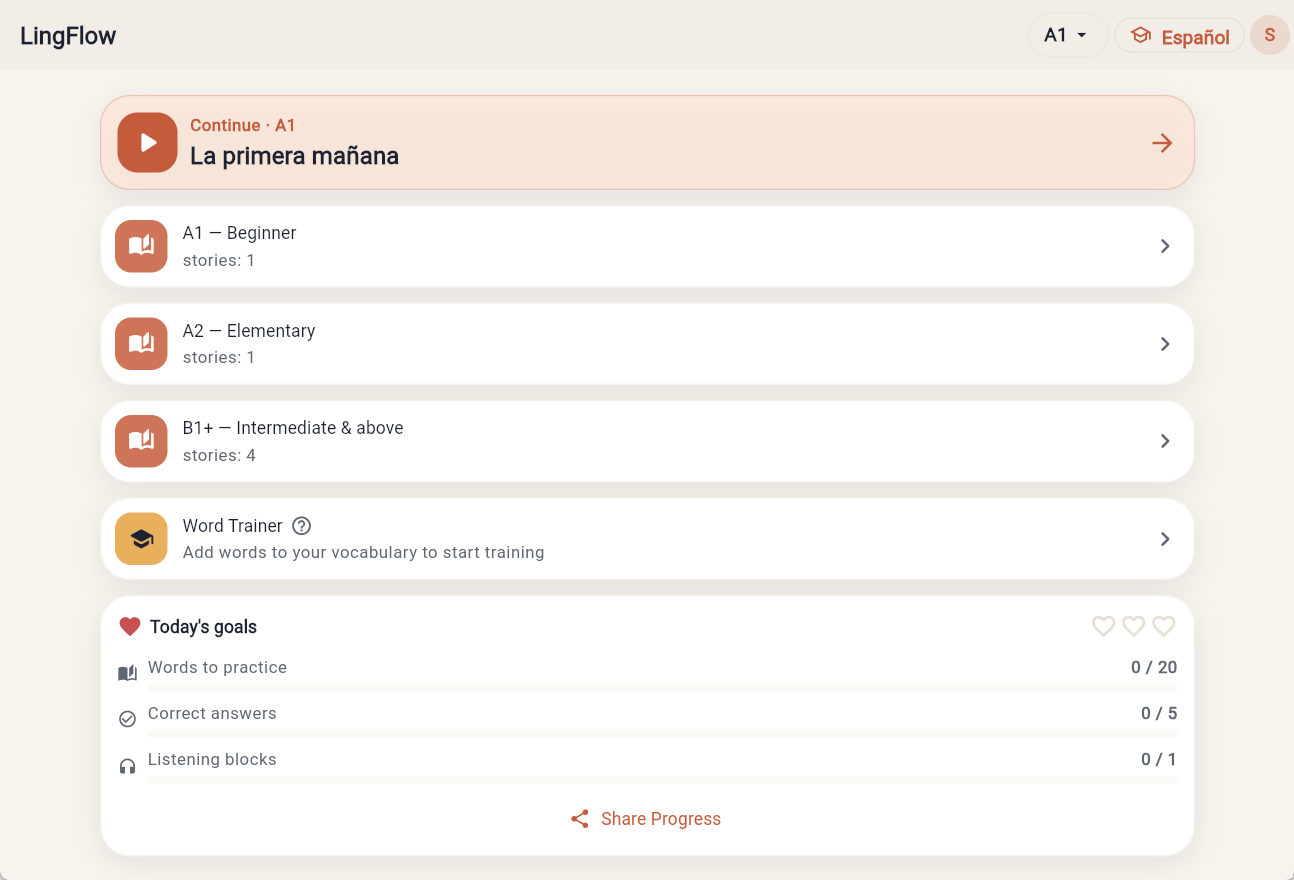
Each page gives you the same loop in one target language: understand a story, save the words that trip you up, then produce them back in new contexts until they stick.
Save the English words that trip you up, then produce them back in new phrases and sentences until they stick.
Open English pageTurn the Spanish you meet in stories into words you can produce, not just recognize.
Open Spanish pagePractice German phrases by producing them back in fresh contexts, with one-fix feedback.
Open German pageMove French words from 'I've seen that' to 'I can say that' through contextual recall.
Open French pagePick up Italian phrasing, then prove you own it by producing it in fresh phrases and sentences.
Open Italian pageCollect Brazilian Portuguese from real scenes and train it back until you can use it yourself.
Open Brazilian Portuguese pageReading and listening to stories is where you start. Premium unlocks the part that makes words stick: the trainer that brings your saved words back in new contexts and grades how you produce them.
For reading, listening and understanding stories.
For learners who want to produce the words they save and learn from every mistake.
Full Premium access for a year at the best price.
Open the web app at app.lingflow.me, or install the LingFlow mobile app. Your progress is tied to your account on either platform.
Reading apps stop when you understand the text. LingFlow starts there: it takes the words you saved and makes you produce them again in new phrases and sentences until you can use them yourself. Understanding the story is the input; producing the words back is what this app actually trains.
Every word you tap in a story is saved with its sentence. The Context Trainer then builds new phrases and sentences around that word, calibrated to your level, and asks you to produce it — by typing or speaking. It grades each answer correct, close, or off, shows the smallest fix you missed, and brings the word back in different contexts until you can produce it reliably.
You can ask a chatbot for a practice sentence, but it forgets what you did yesterday, doesn't track which words you've nearly mastered, doesn't calibrate difficulty to your level, and grades loosely. LingFlow is the loop built around all of that: it remembers every word you met, schedules it back in new contexts, and checks how you produce it with a grader built for the language you're learning. It's a system that runs itself, not a prompt you have to babysit.
7 days when you sign up. All features are open on a starter set of stories — enough to try the full loop: tap and save words, produce them in the Context Trainer, and see the one-fix feedback.
No. You start from stories you can follow, and meaning comes before performance — you only practice producing a word once you've understood it in context. Grammar shows up as a quick hint when a word's form matters, not as drills to memorize up front.
Yes — that's the foundation. You learn from stories you can mostly follow, with translation and word help keeping meaning clear, so the language stays understandable even when some of it is new. Where LingFlow goes further than a pure input app: once a word is clear, the Context Trainer makes you produce it again in fresh contexts until you can use it yourself, not just recognize it.
A simple one, popularized by Stephen Krashen: you pick up a language by understanding messages a little above your level, with low pressure — not by memorizing rules. LingFlow takes that as the starting point and adds the next step: once you understand a word in a story, it makes you produce it back in new contexts until you can actually use it. We're not affiliated with Krashen and don't quote his work — we just build on the idea.
Listen to the story while looking at translation. Then listen while looking at the original text. Then listen without looking at anything. The audio stays in the language you're learning across all three passes — only what's on screen changes. It's how you understand a story before you start producing its words.
A lemma is the base dictionary form of a word. When you tap a word in a story, LingFlow shows both the form you saw and the lemma — so all the conjugations, tenses and number forms of the same word link back to one entry in your personal vocabulary, and the trainer practices the word as a whole.
We have three plans — Basic, Premium and Premium Annual. Current prices and what's included are listed in the Plans section above; payment happens inside the app. The annual plan has the lowest effective monthly price.
Basic gives you the story player with audio, sentence-by-sentence translation, and the listening cycle — enough to read and understand stories. Premium adds your personal vocabulary and the Context Trainer: LingFlow turns the words you collect into new phrases and sentences you produce yourself, checks your answers, and gives one-fix feedback. Premium Annual is the same Premium plan billed yearly at a lower effective price.
Yes. Sign in with Telegram or Email on any device — your vocabulary, progress and subscription sync automatically. Use the web app at app.lingflow.me, the mobile app for daily practice, or both.
Open the Support section in the app and describe what happened — your message lands in our chat and we reply right inside the app.